Web & Software Development

Ecommerce troubleshooting

Fix what is costing you sales. When a checkout fails, payments stop or carts empty themselves, we find the cause, fix it on a staging copy and release the fix, starting with whatever is losing you orders right now.

Get help now See our work Fixed quote after a free call

What you get

  • Diagnosis
  • A safe fix
  • Root cause
  • Checks
  • A short report

Sound familiar?

  • Customers reach checkout and the order never goes through.
  • A payment gateway stopped working after an update.
  • The cart empties itself or shows the wrong prices.
  • Order emails stopped arriving for you or your customers.
  • Product and category pages take so long to load that people leave.

What is included

  • Diagnosis Plugin and theme conflicts, caching, scripts, payment gateway settings and server errors checked
  • A safe fix Tested on a staging copy before it touches the live store
  • Root cause Fixed where it starts, not hidden behind another plugin
  • Checks Test orders placed through checkout, payment and email after the fix
  • A short report What was wrong, what we changed and how to avoid it next time

Where checkout problems usually come from

Most broken WooCommerce checkouts come down to a handful of causes:

  • An update to WordPress, WooCommerce, a plugin or the theme that no longer works with the rest.
  • Caching that serves the cart or checkout from a cache, so customers see someone else’s cart or a stale form.
  • Two things doing the same job, such as two checkout plugins or a page builder and WooCommerce both controlling the checkout page.
  • Payment gateway settings: expired keys, changed webhooks or a gateway left in test mode.
  • Scripts that fail in the browser and stop the checkout from submitting.

We check them in order, starting with what changed most recently.

Fixed on staging, not on your customers

Debugging on a live store turns one problem into several. We copy the store to a private staging site, reproduce the problem there, fix it and test orders before the fix goes live.

So it does not happen again

Many of these problems start with an untested update. Our maintenance plans apply updates on staging first, and test checkout before anything reaches your live store.


How it works

  1. Tell us what is broken

    Describe what customers see, or send a screenshot. Choose the urgent option in the form if orders are failing.

    From you: Access to WordPress and, if possible, hosting.
  2. Reproduce

    We reproduce the problem on a staging copy so we can test without affecting customers.

  3. Fix and test

    The cause is fixed and tested with real test orders.

    From you: Test mode for your payment gateway, if needed.
  4. Release

    The fix goes live and is checked again on the live store.

  5. Prevent

    We tell you what caused it and how to stop it happening again, for example tested updates.

What affects the price

Every project gets a fixed quote after a free call, so you know the total before anything starts. These are the things that move it.

  • How many problems there are
  • Whether the cause is in a plugin, the theme or the server
  • Access to a staging copy
  • Whether you want ongoing maintenance afterwards

Where we have done this

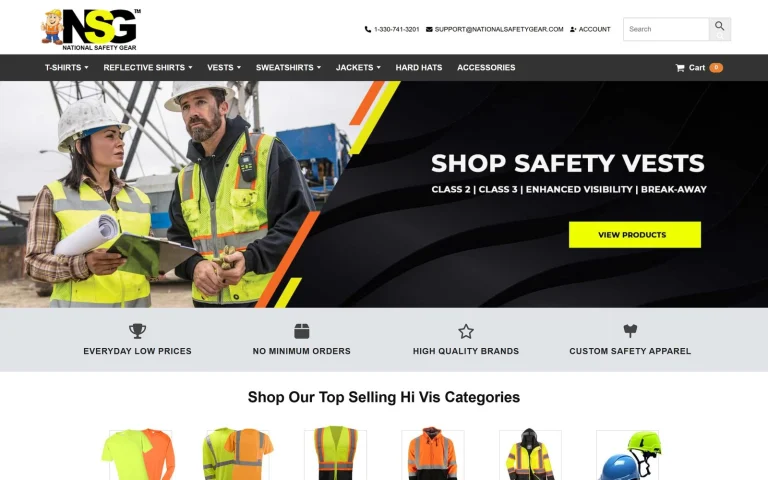
National Safety Gear
  • Online store
  • WooCommerce
  • Integration

Fixing the inFlow and WooCommerce integration so orders go through

Challenge
inFlow, the store's inventory system, would not take orders from WooCommerce: product data was not properly matched between the two, and product attributes had issues.
Result
The integration was fixed, so inFlow takes the store's orders.

Questions about ecommerce troubleshooting.

My checkout is broken right now. How do I reach you?

Use the form and choose the urgent option, or call either office directly. Include your store address and what customers see.

Will you need to take the store offline?

Usually not. We reproduce and fix the problem on a staging copy, then release the fix to the live store.

Can you fix a store another developer built?

Yes. Most troubleshooting work is on stores we did not build.

What do you need from me?

Access to WordPress, and to hosting if possible, plus a description or screenshot of what customers see. For payment problems, access to your gateway's test mode helps.

Tell us your goal. We'll show you the plan.

Book a free 30-minute call. You'll leave with a clear plan and a fixed quote, whether you hire us or not.

Book my free call
Free call, no obligationBook my call